Product tour
See the portal our clients use.
Every client gets their own portal while we open their practice. These are real screens, with a made-up practice. Click the highlighted spot to go on, or use Next, the arrow keys or a swipe.
The client portal
What a made-up client sees while we open their practice: the dated roadmap, their to-dos, documents, insurance applications and invoices. 8 steps.
-
Step 1 of 8
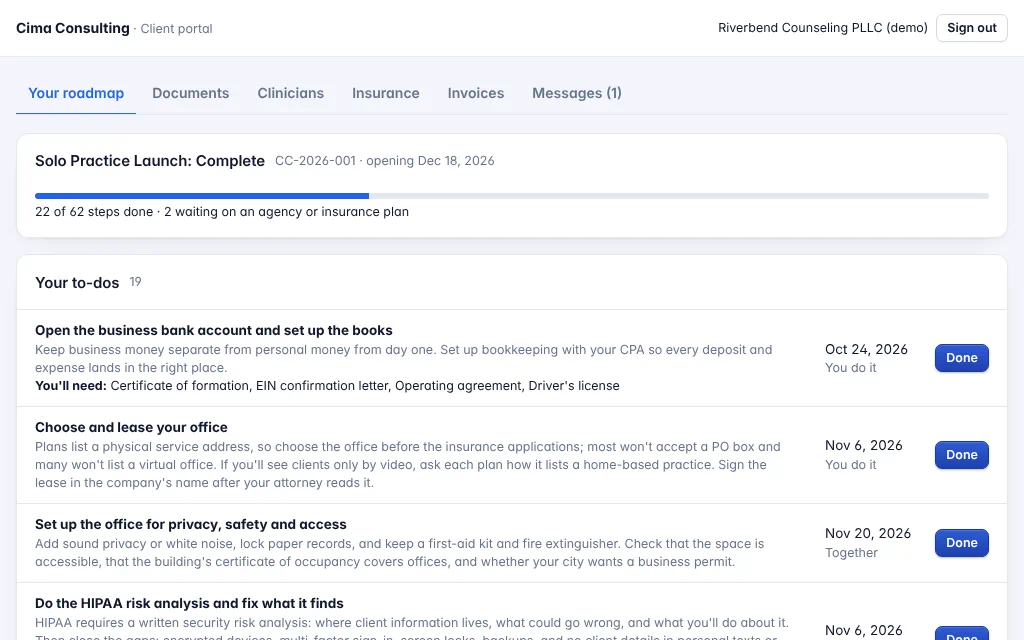
A dated roadmap from day one
The client sees their opening date, how many steps are done, and their to-dos, each with a date, who does it and what they'll need.
Open the full-size screen -
Step 2 of 8
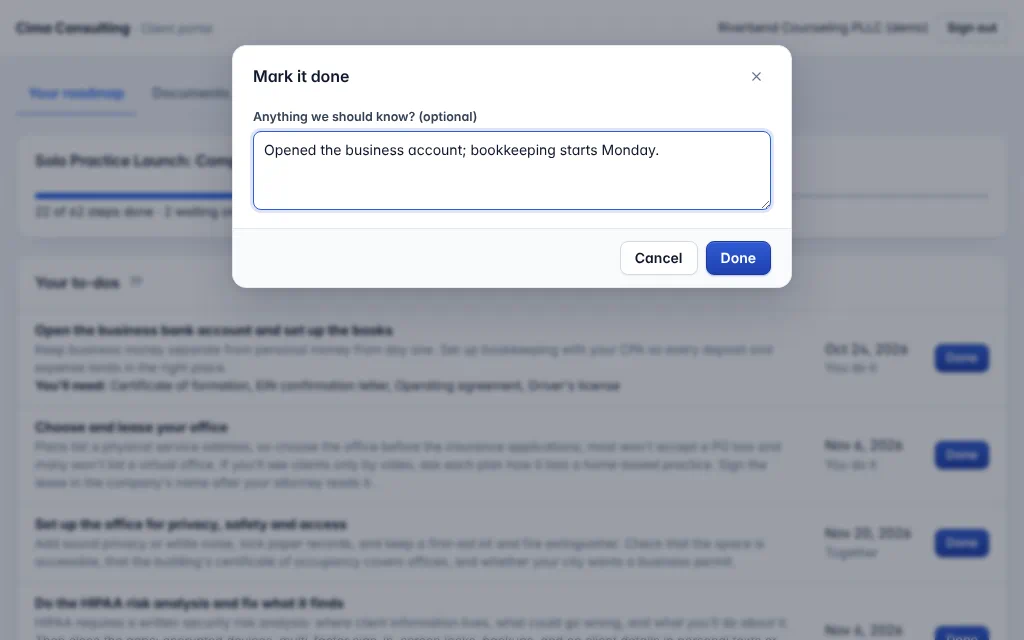
They mark their own steps done
With a note, if they like. We see it right away, and the roadmap moves on.
Open the full-size screen -
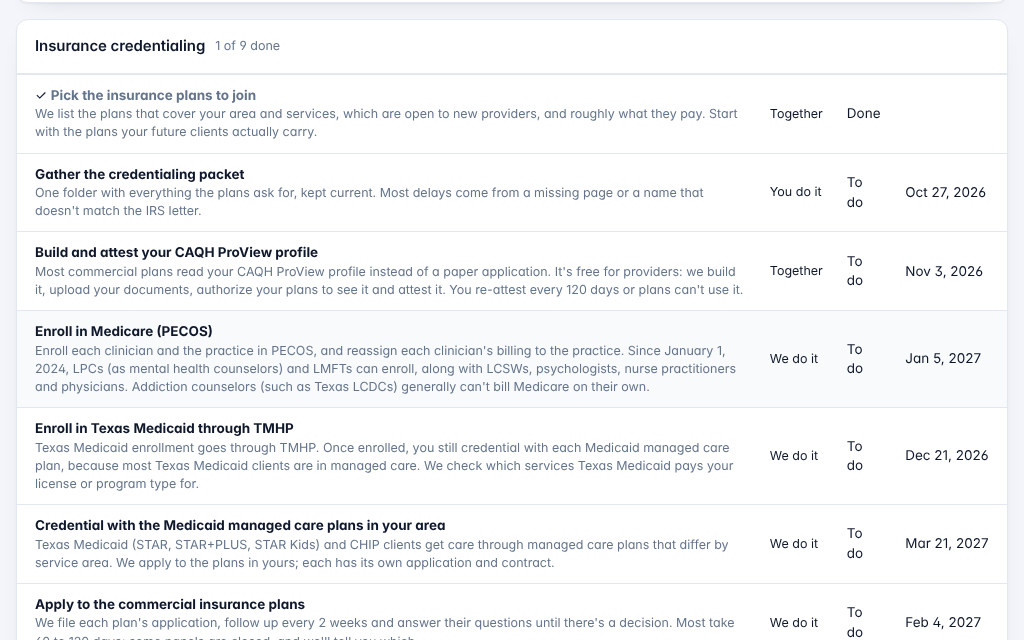
Step 3 of 8
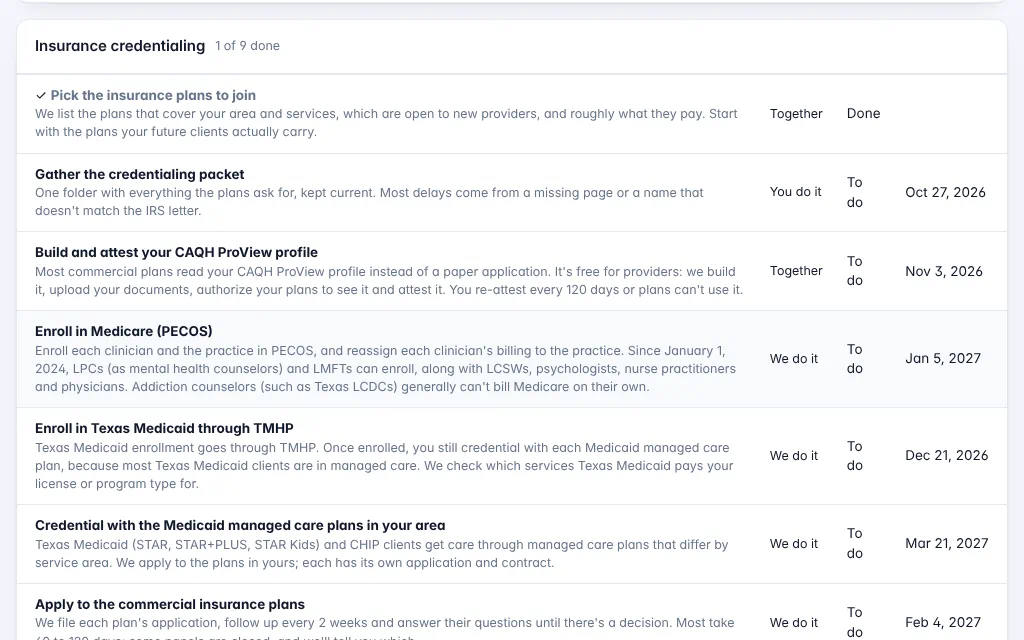
Every phase, every step
From forming the business to the first 90 days. Each step has its date and who does it: the client, us, or both together.
Open the full-size screen -
Step 4 of 8
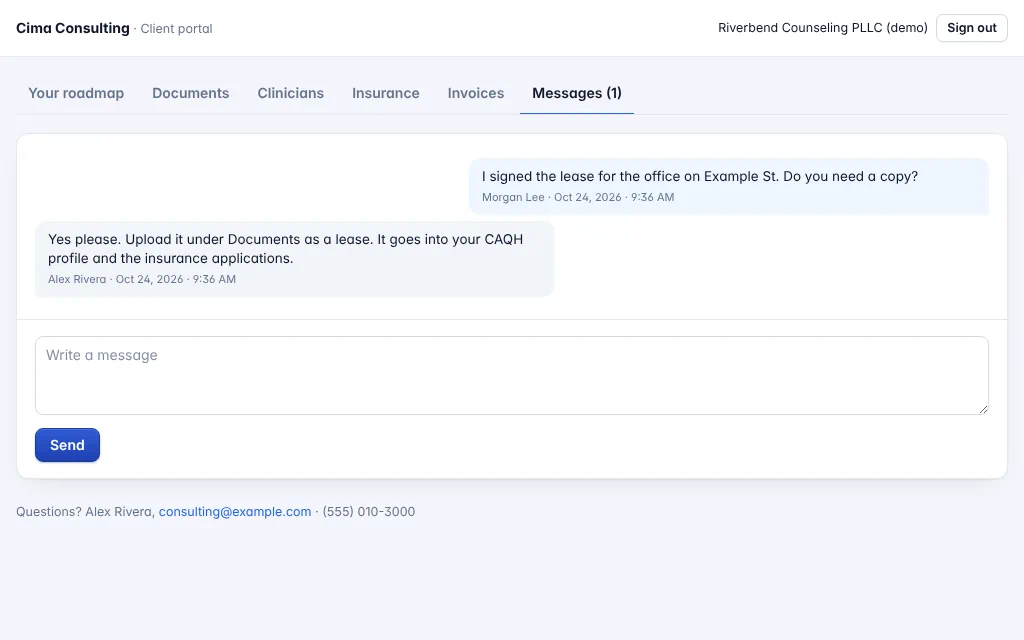
One place to talk
Questions and answers stay with the project, instead of in a long email thread.
Open the full-size screen -
Step 5 of 8
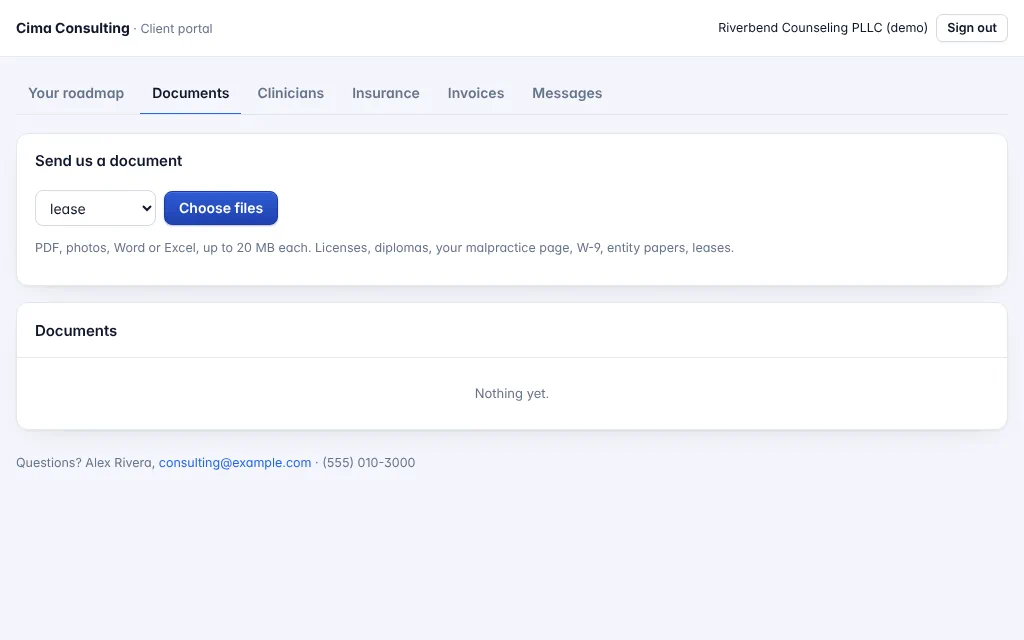
Send documents straight in
Licenses, the malpractice page, the W-9, the lease: picked by kind and filed where the applications need them.
Open the full-size screen -
Step 6 of 8
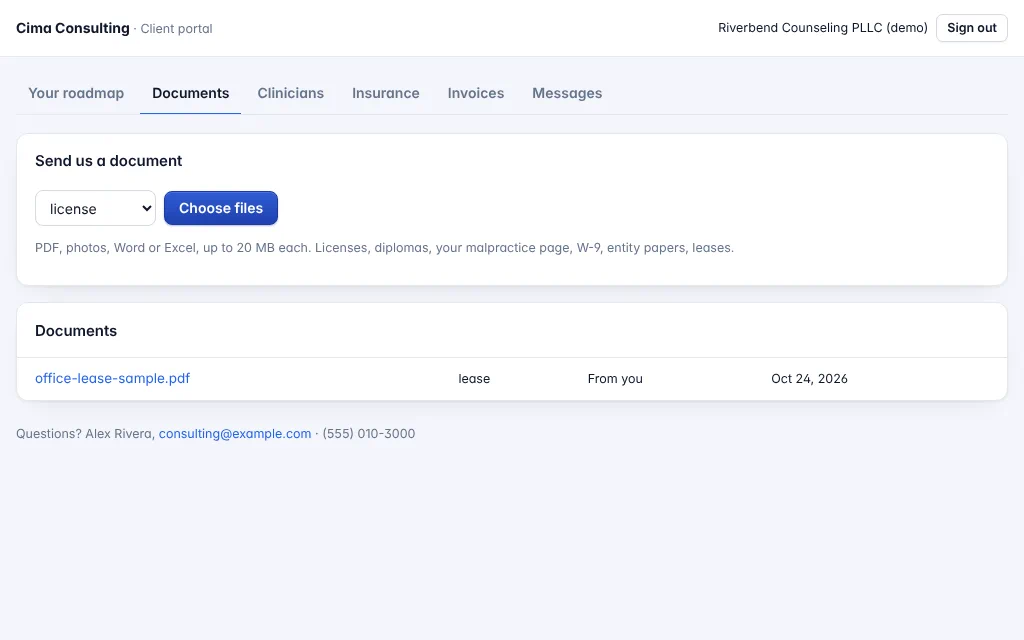
Filed where it's needed
The lease is in their file, ready for the CAQH profile and the insurance applications.
Open the full-size screen -
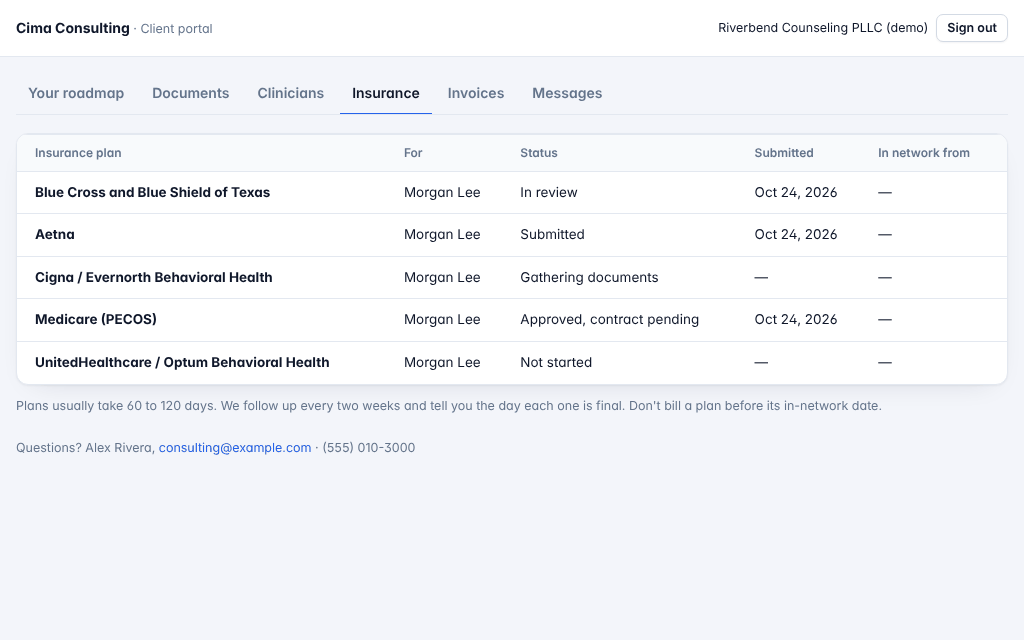
Step 7 of 8
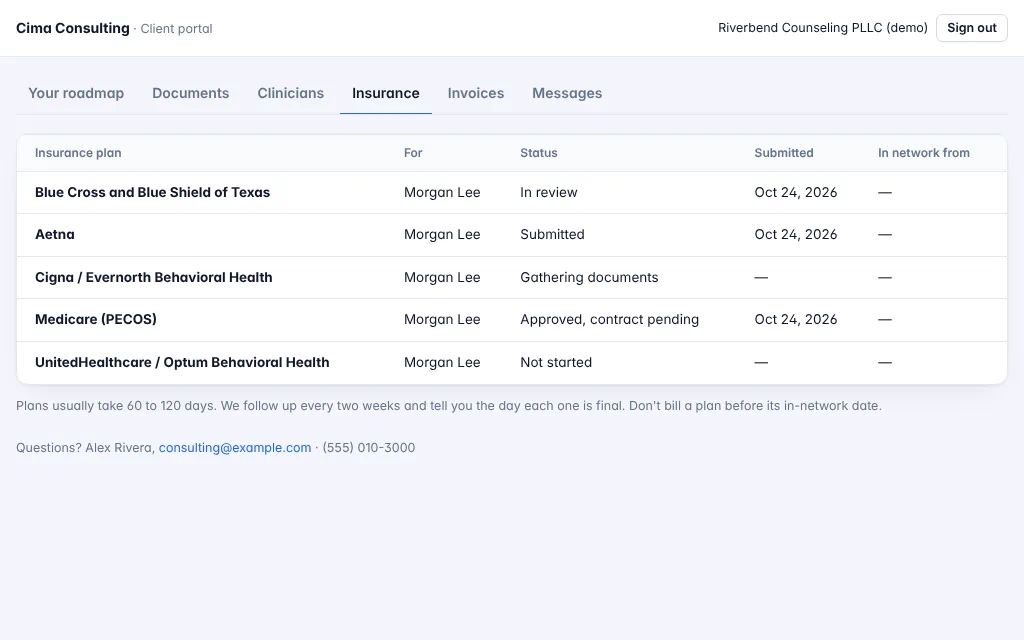
Where each insurance plan stands
Every application, for every clinician: gathering documents, submitted, in review, approved, and the in-network date.
Open the full-size screen -
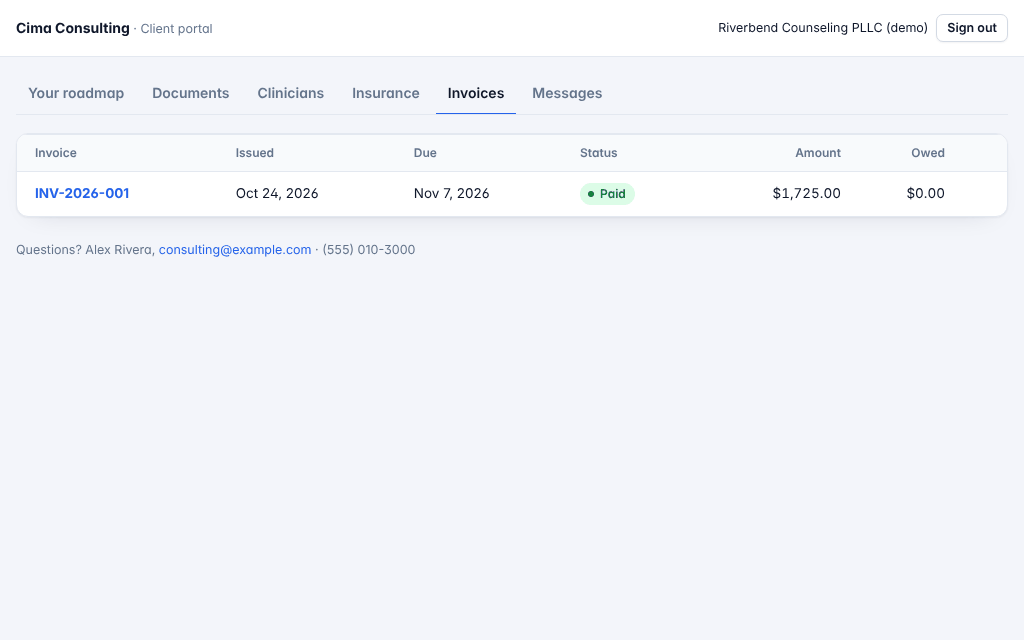
Step 8 of 8
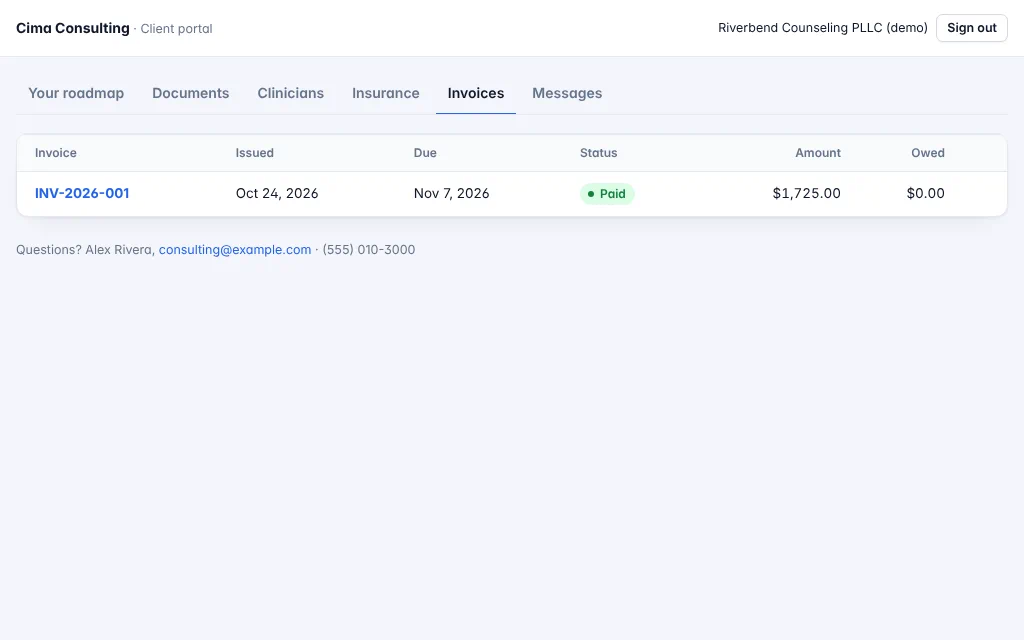
Flat-fee invoices
Each invoice with its due date and what's owed, paid by card as the work lands.
Open the full-size screen That's your launch, in one place.
A dated roadmap, your to-dos, documents, insurance applications and flat-fee invoices. Tell us what you want to open, and we'll start with a free call.